Confirm your Steam store country, clear wallet and cooldown blockers, then switch region so a Starfield Global key actually redeems at checkout.
Check the country Steam already assigned you
Do this before you pay. The key does not care which city you sit in. It cares about the country printed on the account.
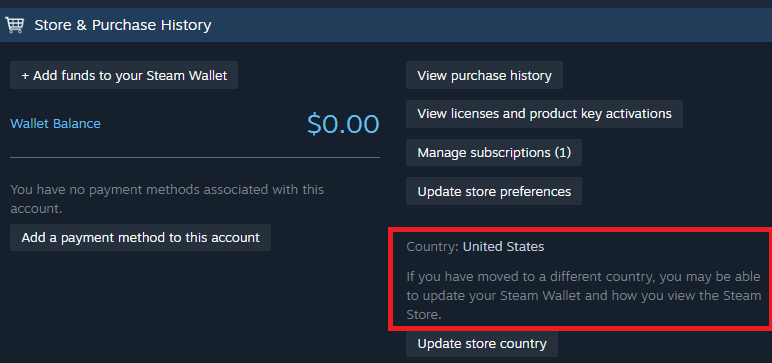
Open the Steam client or the browser store. Click your name, then Account details. Find Store country. It often sits with Store & Purchase History. That string is the only region that matters for a CD key.
Changing the download server under Settings does nothing. I still watch people flip Downloads to United States - Washington and then stare at a failed code. Download routing is for patches. Store country is for money and activation.
If the country already matches a Global SKU, stop. Buy and redeem.
If it does not match, keep going. A mismatch is how you get “This key is not available in this country” or an account that is “not authorized to activate” after the money is gone.
Writeups argue about IP. Some still say Valve peeks at your address plus the card. Others say IP is out of it and only account data plus payment method count. I will not settle that with a VPN. I treat the registered store country as the gate, and I only move it with a real local payment method.
Starfield (Global)
4.11 · 691 sold
Global does not mean every account
“Global” on a listing is not a magic override. A digital key still has to support the exact country under Store & Purchase History. If the package skips that country, activation fails. Your browsing IP will not save you.
That is why I read the region line before I pay. If you are holding a Starfield Global Steam key in the cart to dodge a locked SKU, confirm the page actually says Global. A screenshot of someone else’s cheaper country pack is not a listing. The live page is the number that exists today.
Want extra paranoia? Check SteamDB and the package SUBID under the game AppID. Territorial locks hide in those packages. Most buyers will not bother — then at least match store country to the coverage the seller printed.
One more trap. Friends cannot always gift across regions. If the regional price gap sits over roughly 10%, Steam blocks the gift. Do not plan a “cousin in another country will send it” workaround.
I would rather pay for a Global key that fits my account than chase a regional bargain I cannot redeem. The table is context for why people hop countries, not a shopping list.
| Region | Typical AAA store price | What that number actually means |
|---|---|---|
| Vietnam | ~$24 – $33 | About 31% to 60% under a $59.99–$69.99 sticker |
| Indonesia | ~$30 – $48 | Regularly among the lowest base prices |
| India | ~$34 – $42 | Priced for local purchasing power |
| Ukraine | ~$26 – $33 | Sits near Vietnam on big releases |
| United States | $59.99 – $69.99 | The usual baseline people quote |
The gaps explain the temptation, and why Valve watches payment methods. A Global key is the boring option I pick when I want the game installed tonight.
Do not pick Argentina or Turkey thinking you found a secret cheap shop. In November 2023 Valve pulled local currency there, put both regions on USD, and some prices jumped as much as 2900%.
Wallet leftover, 90-day lock, wrong card
Three things stop a region change.
First, the cooldown. Steam locks store country for 3 months after a successful change. Ninety days. You do not get a second flip because a deluxe pack appeared. If you changed region last month for something else, you are stuck. Check the date of the last country-changing purchase before you spend.
Second, the wallet. Existing Steam Wallet funds convert to the new currency at the going rate when the country actually switches. People still tell you to drain it to zero. I only empty it if the leftover would convert into an awkward amount I will never spend. A tiny balance? I leave it. Conversion is automatic. You cannot freeze the old currency.
Third, the card. Steam will not let you type a new country into a settings box. The store region updates when you complete a purchase with a payment method issued in that country and a billing address that matches. An international card with the old address gets declined. That is the usual “why is my payment rejected” moment, not a broken page.
Sanctioned jurisdictions are a hard wall. Valve cannot run Steam in North Korea, Syria, Cuba, Sudan, or Iran. There is no region change that fixes that. Do not try.
| Blocker | Figure from Valve’s rules | What it does to your Starfield plan |
|---|---|---|
| Store region cooldown | 3 months | No second country flip until 90 days pass |
| Cross-region friend gift | About 10% price gap | The gift fails if regional prices differ that much |
| Argentina and Turkey reset | November 2023, up to 2900% | Those stores now bill in USD; the old cheap hop is gone |
| Sanctioned countries | Five listed above | No Steam service, so no key redeem at all |
Empty-wallet superstition is optional. The 90-day lock and the local payment method are not.
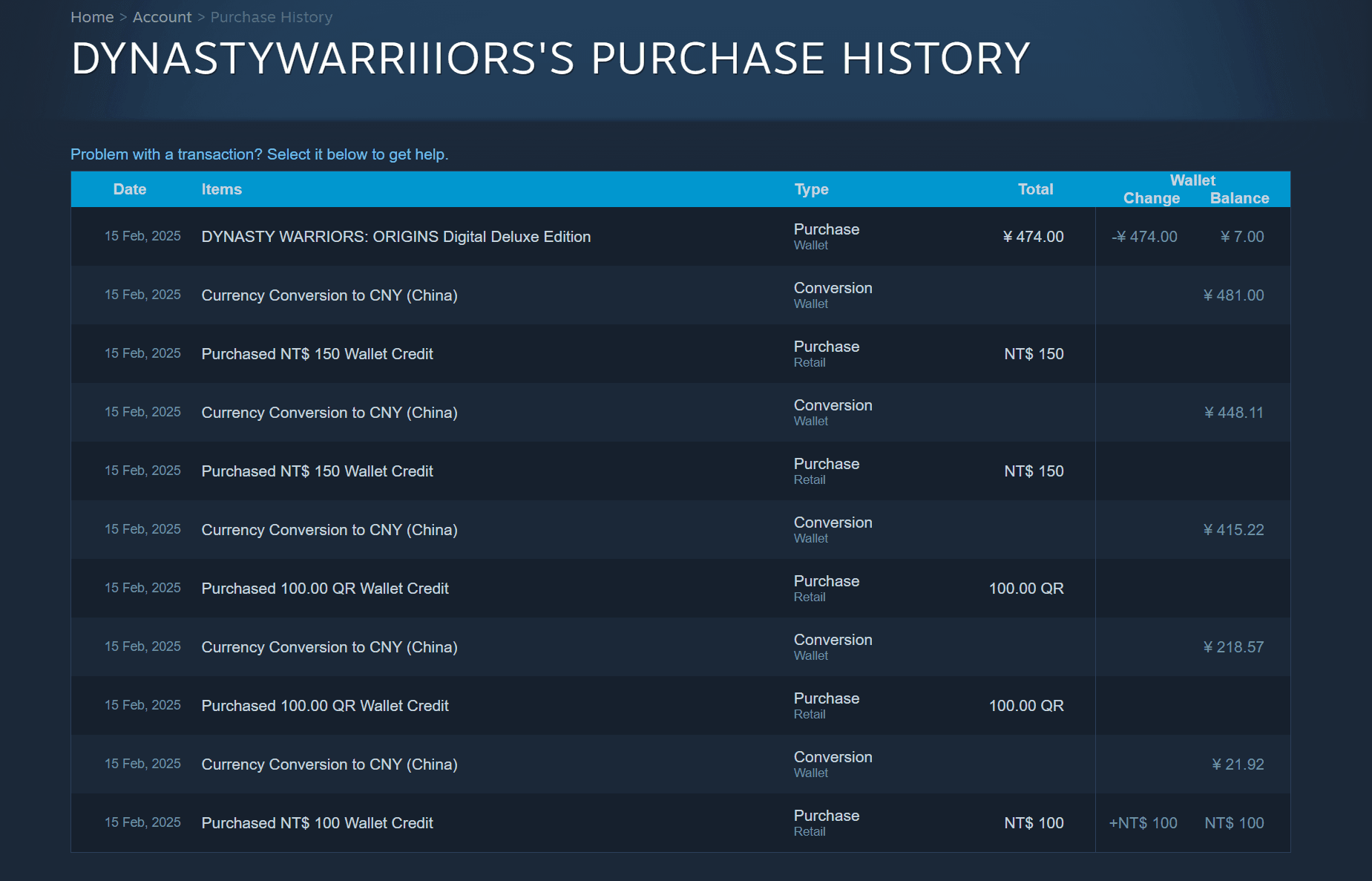
How I would actually move the store region
I do the dull version. No proxy. Using a VPN or proxy to fake cheaper regional pricing violates the Steam Subscriber Agreement. Purchase locks and account bans are on the table. I will not help you dress that up as a travel story.
Log in on the account that will redeem the key. Confirm the current store country one more time.
Pick a target country you can actually pay from — a card or regional gift card issued there, plus a billing address that belongs there. If you cannot produce those, you cannot move the region. Stop. Buy a key that already fits the country you have.
Then make a small legitimate purchase on the Steam store with that local method selected. The country flips after the transaction clears, not after you toggle a dropdown. Watch the currency on the store homepage. If prices still show the old symbol, you are not done.
After it flips, refresh. Open Account details again. Store country should match the target. The 3-month lock just started.
Only then do I go back to the Global Starfield listing and finish paying. Buying first and “fixing region later” is how you sit on a code you cannot use until the cooldown dies.
If Steam says the payment method is invalid, it is almost always the card’s issuing country or the billing address. Fix that. Do not mash retry on the same mismatched card.
Confirm the flip before you redeem
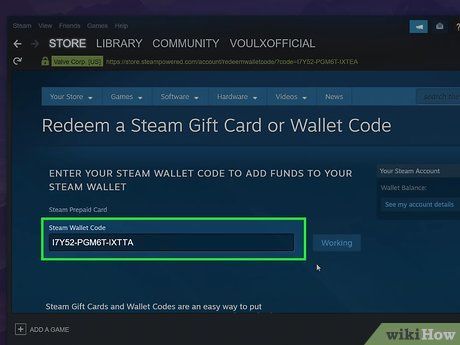
Redeem a Product Code lives under Games in the client, or on the redeem page in the browser. Type nothing until Account details shows the new country. If you still see the old store country, the key waits.
Error text you want to avoid: not authorized to activate, key not available in this country. Both mean the package and the account country disagree. Either the region did not move, or the SKU was never Global.
Spender tiers: stay put, switch once, or walk away
Region change is optional for most people. I sort the rest like this:
F2P / low spend. If your store country already sits inside a Global key’s coverage, spend zero effort on this. Do not “prepare” a region change you do not need. You will start a 3-month lock for no reason. Buy the key. Redeem it.
Mid spend. One planned switch. Use a payment method that truly belongs in the target country. Accept wallet conversion. Then lock that country for 90 days and live with it. This is the only path I like if your current country sits outside the key.
Heavy spend. Do not burn region changes to farm cheap store prices. The Vietnam / Indonesia / India gaps look juicy. They also require local billing you probably do not have, and a VPN cheat can cost the whole account. I would pay the Global price that matches a country I can honestly bill from. If you buy a lot, a banned Steam account costs more than any regional sticker.
If I am the one holding the cart, I pick mid or F2P.
Legitimate checkout versus a key scam
A storefront that wants your Steam password is not selling you a key.
Steam wants your password and Steam Guard only on Steam’s own login. A storefront wants you to pay on its checkout for the listed SKU. Nobody legitimate needs your Steam password, your Guard codes, or remote-desktop access to “activate it for you.”
A scam asks for the opposite. Wallet codes sent first. A stranger who will change region if you share the account. A file you must run to unlock a cheaper store. A screenshot of the key before you pay. I walk away from all of that.
If the page cannot show the product and the region line before you pay, I would not pay.
FAQ
Can I activate a Global Steam key if I live somewhere else?
Yes, if the key covers the Store country on the account. Steam checks that registered country at redeem time, not the city you are standing in. Physical location and download region are the wrong tests. Match the account country to the key.
How often can I change my Steam store country?
Once every three months. After a successful change, Valve locks region and currency for 90 days. If you already flipped recently, wait it out. There is no support shortcut that shortens it.
Why does my payment fail when I try to change region?
The card or gift card has to be issued in the target country, and the billing address has to match. An old international card will decline. That rejection is Steam enforcing region, not a random outage.
What happens to my Steam Wallet if the region switch works?
Funds convert to the new local currency at current official rates. You do not keep a dual-currency wallet. If that conversion bothers you, spend or accept the leftover before you switch. I usually accept it.
Does a VPN let me redeem a Starfield key from the wrong country?
I would not try. Proxy tools used to disguise location for pricing or store access violate the Subscriber Agreement. You can lose purchasing rights or the account. Fix the store country with a real local payment method, or buy a key that already fits.
I changed download region and the key still fails. Why?
Download region only picks a content server. It never changes store currency, country, or CD key rules. Open Account details. If Store country is still the old one, the key will keep failing.
Redeem only after the store page flips currency
Check Store country first. If it already fits, buy nxpgame’s Starfield Global key and redeem it. If it does not fit, move the region with a local payment method, wait until Account details actually shows the new country, and only then pay for the key.
I would not empty a tiny wallet. I would not touch a VPN. I would not gift across a 10% price gap and hope. And I would not start a 90-day lock unless I am sure I can stay in that country.
Make Steam’s store country agree with a Global SKU before checkout, then redeem.